MindMetrix QuickChart Tutorial

Making 96130 Billing Work for You
Updated June, 2026
For the most up-to-date guidance on billing best practices and CPT code 96130 reimbursement, we recommend reviewing our latest guide.
Billing under CPT code 96130 can be overwhelming. The code covers psychological testing evaluation services, but the documentation requirements are detailed and often unclear. Many clinicians spend extra time trying to figure out what to include and how to phrase it, which takes energy away from patient care.
That is exactly why we built QuickChart inside MindMetrix. It gives you a ready-to-use template that handles the heavy lifting, so you can stay focused on your patients while knowing your documentation is solid.
What Makes 96130 Tricky
To bill correctly, insurers expect to see very specific information:
- Time in, time out, and total time spent
- Which assessments and screeners were administered
- Your interpretation and clinical summary
Most resources leave you guessing, leading to trial and error, which slows you down and puts reimbursement at risk.
How QuickChart Helps
QuickChart takes care of the repetitive parts of documentation so you can focus on the clinical details that matter. It provides you with:
- Automatic data population from the patient’s assessment results
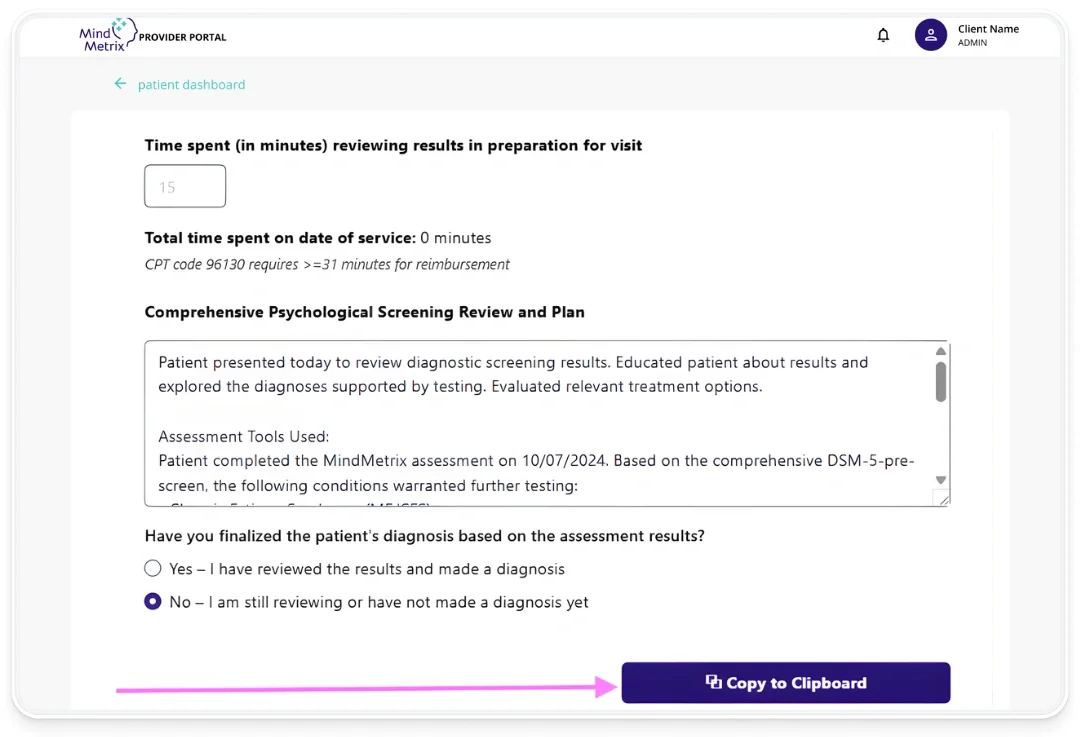
- Accurate time tracking so you know you are meeting the 31-minute benchmark required for 96130
- One-click export so you can copy everything to your clipboard and paste it into your EMR
Quick Start Walkthrough
- Log into your dashboard and view your patient list.
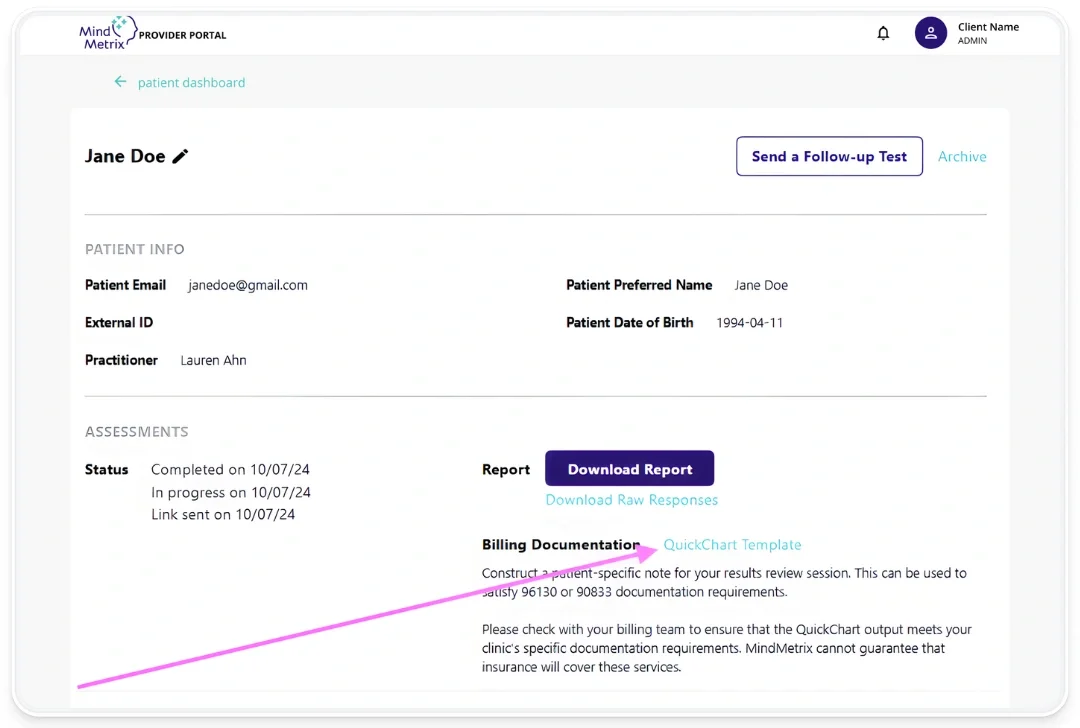
- Click the patient’s email address to open their record.
- Scroll to Billing Documentation to find the QuickChart template.
- Enter your time in, time out, and total time.
- Select Copy to Clipboard and paste into your clinical note or EMR.
QuickChart is designed to give you confidence that your documentation meets the standards for 96130. It saves time, reduces errors, and eliminates second-guessing. Most importantly, it helps you spend less energy on paperwork and more energy on patient care.
MindMetrix provides coding and billing information for educational purposes. Practices should confirm accuracy with their billing team and ensure documentation meets all internal and payer-specific requirements. MindMetrix cannot guarantee reimbursement outcomes. Providers and practices are solely responsible for how they code, bill, and document.
Ready to boost your practice?
Try 3 complimentary assessments on us.